

What is Output Format?
Tela allows you to define a structured Output Format for your prompts. Structuring an Output Format is useful when:- You want your output to consistently be generated within the same framework
- You need to integrate your Canvas with other processes, that require structured data
- You want to organize the output from your Canvas in lists or tables
Setting up your Output Format
To add an Output Format to your Canvas you can click on theOutput Format button on the bottom left of the Craft experience.

Add Attribute to create your first attribute. Each attribute has a name, a description and a type:
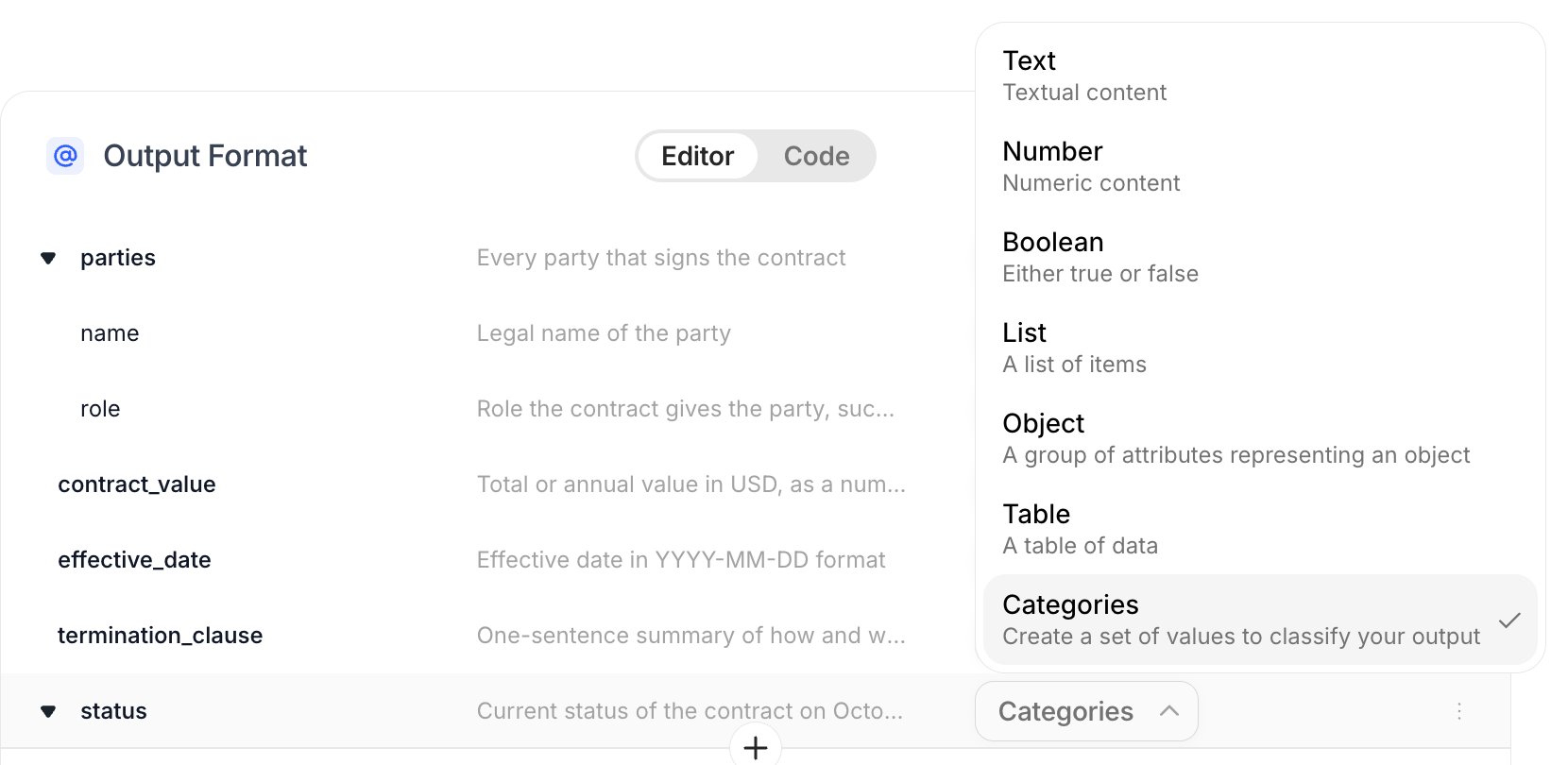
Creating attributes
Attributes are the guidelines that will tell your Canvas what to respond and how to structure the content. Each attribute has a label, a description and a type.- Label: a relevant name for the attribute, similar to naming a variable when programming or a column header on a table. We recommend using only letters, numbers and underscores for your labels.
- Description: a short text describing what is the desired output and how it should be formatted, if applicable. This can complement and reinforce the instructions for your Prompt.
- Type - The type of attribute, which can be:
- Text - textual or string content
- Number - numeric content
- Boolean - Either TRUE or FALSE
- List - a list of Attributes of variable length
- Object - a group of Attributes representing an object
- Table - a table of Attributes of variable length
- Categories (Enum) - one value from a fixed set of options you define (for example,
active,expiredorterminated)
Diving deeper into Lists
Lists are useful when you can have more than one valid response for an attribute. Using lists, you can tell the Canvas to bring you everything that can be a valid response for that attribute.When using a list, you will notice that it requires a new Type, which will be the Type of the elements inside your list.
Example
Supposing you have a Canvas that reads contracts and you want every party that signs it.You can create an attribute 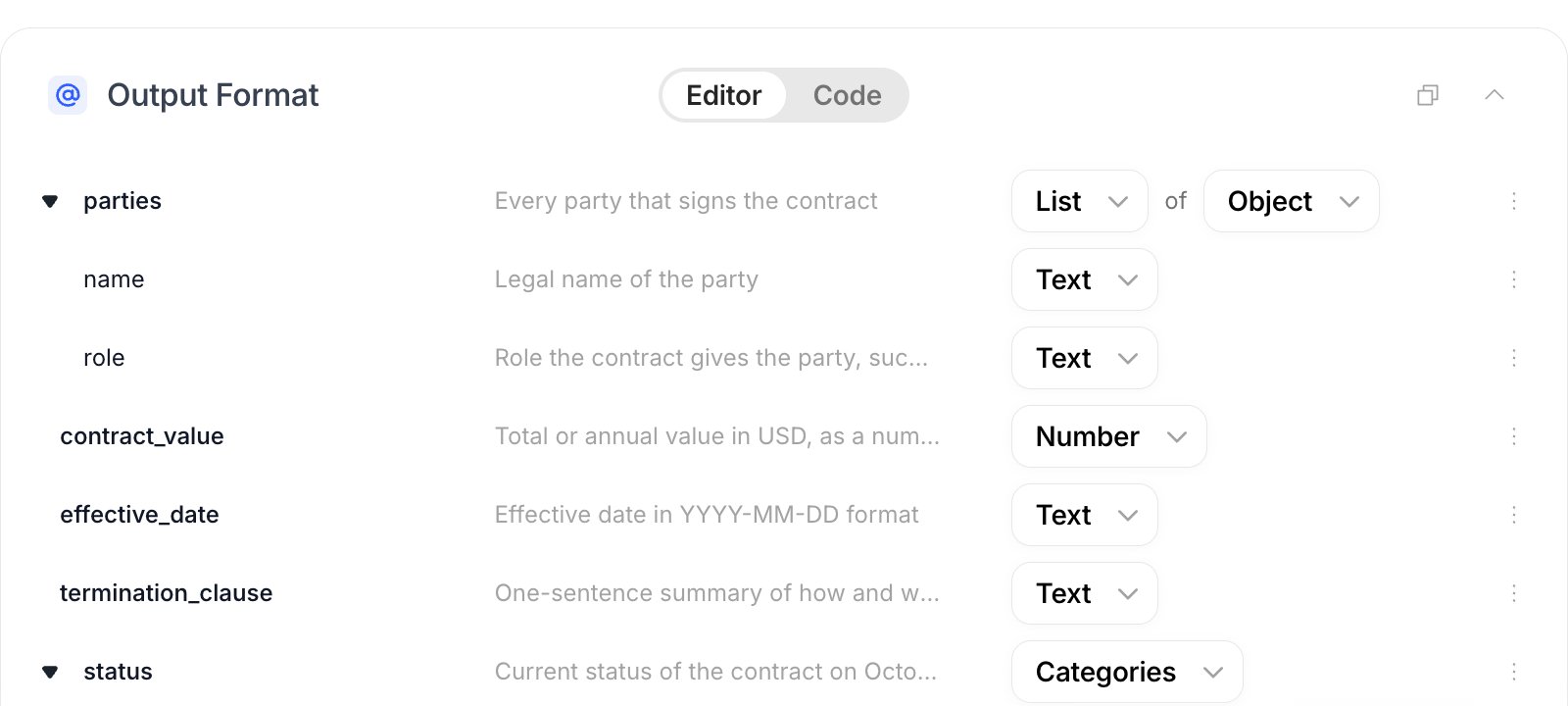
parties with the type List of Object, where each object has a name and a role:Diving deeper into Objects
Objects are often described as a digital representation of something in the real world, they can have any number of attributes that will provide information related to it. You will be asked to provide a type to the objects you create. It can be any one of Tela’s attribute types, even other Objects and Lists, allowing you to create complex structures if you need.
Example
In the example above, each item of
parties is an Object with two Text attributes, name and role. You can nest Objects and Lists as deep as you need, for example an Object address inside each party.