

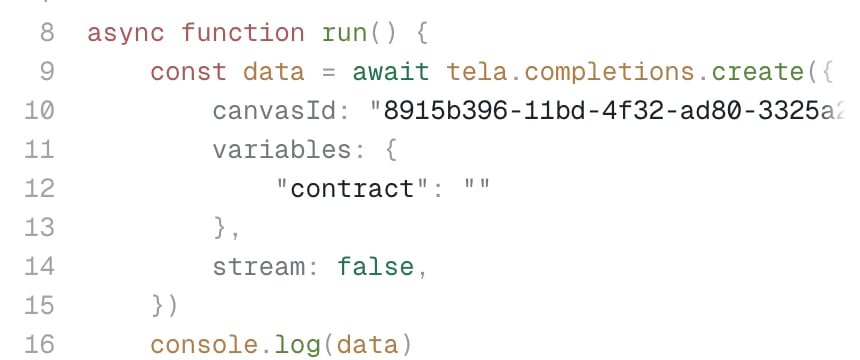
variables object, keyed by the variable name exactly as it appears in the Canvas. Each value is either a text or a file.
The Connect via API dialog generates the snippet with the variables of the Canvas already in place, so you only fill in the values.
Text
A text variable takes a plain string.Files
A file variable takes an object with afile_url. The URL can point to three kinds of content:
With the SDKs
The SDKs wrap the file for you:tela.createFile (TypeScript and JavaScript) and client.create_file (Python) accept a URL and build the file_url object. createFile also accepts a Buffer, a Blob or a readable stream, and create_file accepts an open file, so you can send local files without encoding them yourself.
Several files in one variable
A variable can receive an array of file objects. You can mix public and uploaded files in the same array.Uploading a file first
When a file is not public and too large to inline, upload it to Tela and reference it by ID. The upload is a two-step process withPOST /v3/files, which requires the x-compatibility-date header (see Compatibility date).
1
Request an upload URL
Send the file name. The response has the file
id and a temporary uploadUrl.cURL
Response
2
Upload the content
PUT the bytes to uploadUrl, setting the Content-Type of the file. The URL expires after a short period, so upload right away.cURL
3
Reference it in the completion
Use
vault://<id> as the file_url of the variable. The file can only be read inside your Workspace.HTTP body
GET /v3/files/{id} returns the metadata of an uploaded file (fileName, size, mimeType, createdAt and a url). The full walkthrough, with TypeScript and Python examples, is in Upload a File (v3).
The older
POST /v2/file endpoint also returns an upload_url to PUT the file to, together with a download_url you can pass as a regular file_url. See Upload a File. New integrations should use /v3/files.Where the files show up afterwards
Every run records its inputs. In the result of an asynchronous run and in the completion run history,input_content.variables holds the values you sent and input_content.files lists each file with its name (the variable name), url and used_at: "variables".