

One run per version
Every run is attached to the version that produced it. The Test experience shows the runs, statuses and metrics of the version you are viewing, and nothing else:- Open the Canvas and you are viewing the version you are editing, marked Current in the Version History. After an edit, this is the new version, and every Test Case shows Pending Run again.
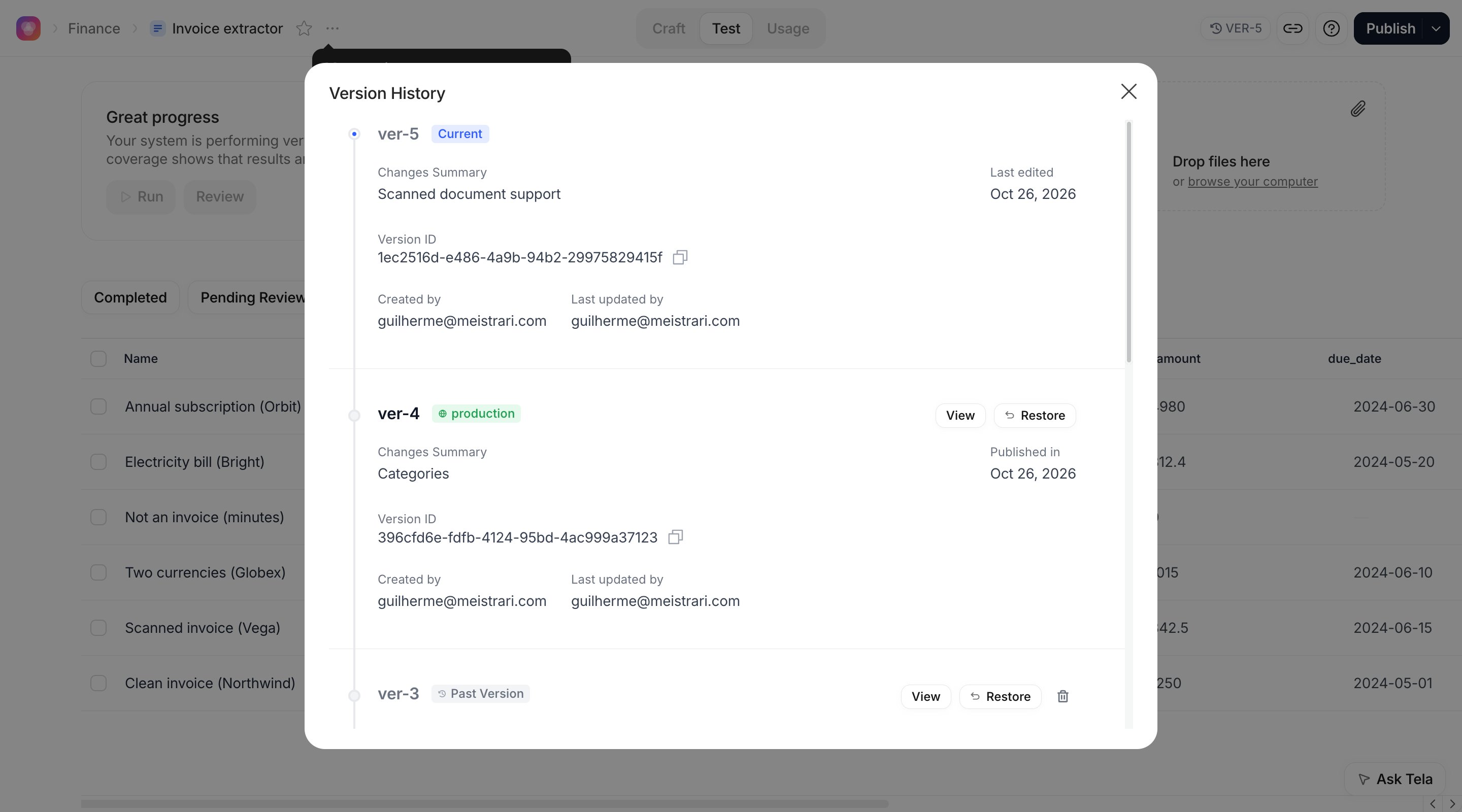
- Open the Version History from the version button next to Publish and click View on an older version to see its runs and its Accuracy Score. The Version column of the table tells you which version a Test Case was first run on.
- Click View on the Current version, or Restore an older one, to come back.
Running the suite on a new version
1
Finish reviewing the old version first
Before changing the prompt, make sure the suite is Completed on version 4 and the Accuracy Score reads what you expect. This is your baseline. Unreviewed attributes on the old version cannot be compared with anything.
2
Change the prompt in Craft
Rewrite the instructions for scanned documents. Tela creates version 5 as the version you are editing.
3
Run All in Test
Back in Test, every Test Case is Pending Run on version 5. Click Run All. Attributes that match your examples or pass your rules come back AUTO-REVIEWED; the others wait for you.
4
Review what is left
Filter by Pending Review, open each Test Case and give a verdict to the attributes that changed. Typically these are exactly the attributes the new prompt affected.
5
Read the two versions side by side
Note the Accuracy Score, Reviewed and Attributes of version 5, then View version 4 in the Version History and compare. Do the same per Test Case: the Score column and the red cells of the row show where each version went wrong.
POST /test-case/run-all with the promptVersionId of each version, then GET /test-case with promptVersionIds to read the runs. Version IDs come from the version history of the Canvas.
Reading the difference
Three outcomes matter, and the table shows each of them differently:
Automatic verdicts are what make regressions visible without rereading every document. A Test Case with Expected Answers on all four attributes needs no human review on a new version unless a value changed, and a changed value that matches no Expected Answer is marked Bad immediately. The more you review on one version, the less you need to review on the next.
Deciding what to publish
Publish version 5 when:- its Accuracy Score is at least that of version 4, with the same or better Attributes coverage;
- no Test Case went from green to red, or every one that did was reviewed and the new value accepted on purpose;
- the Test Cases labelled for the behaviour you changed (for example
scanned) are green.
staging environment and call it with environment_name, as described in Versions and environments.
If version 5 is worse, you have two options: keep editing (each edit is a new version, run the suite again), or open the Version History and Restore version 4 as the version you edit. See Going back to a previous version.
Keeping the suite alive
A suite that stops growing stops catching regressions. Two habits keep it useful:- Every time your team corrects a task in the Workstation, turn it into a Test Case. Each one arrives already reviewed, with the correction as an Expected Answer and the mistake as a Wrong Answer, so it costs nothing to review and it encodes a mistake the Canvas has actually made.
- When a Test Case fails on a new version for a good reason (the document changed, the expected output was wrong), fix the Test Case rather than ignoring the red: update the Expected Answer in the Examples tab, or Edit Inputs.
In Workflows
Workflow versions work the same way: one run per Test Case per version, metrics per version, Version History to switch. Because a Workflow run executes every step, compare the step whose output changed, not only the final result. See Running, testing and publishing.In Agents
Agents keep one run per test case per version too, and each test case has a Run history that lists its runs across versions with the attributes that changed since the last run. Opening a test case while viewing an older version shows No execution for this version. See Running them all.There is no side-by-side comparison view. The comparison described on this page is done by switching versions in the Version History and reading the metrics of each.