

When to use an Agent
An Agent costs more per run than a Canvas and is harder to make predictable than a Workflow. Reach for it when the path depends on what the Agent finds along the way. A Workflow can still use an Agent for one of its steps (see Running an Agent and getting results).
The running example
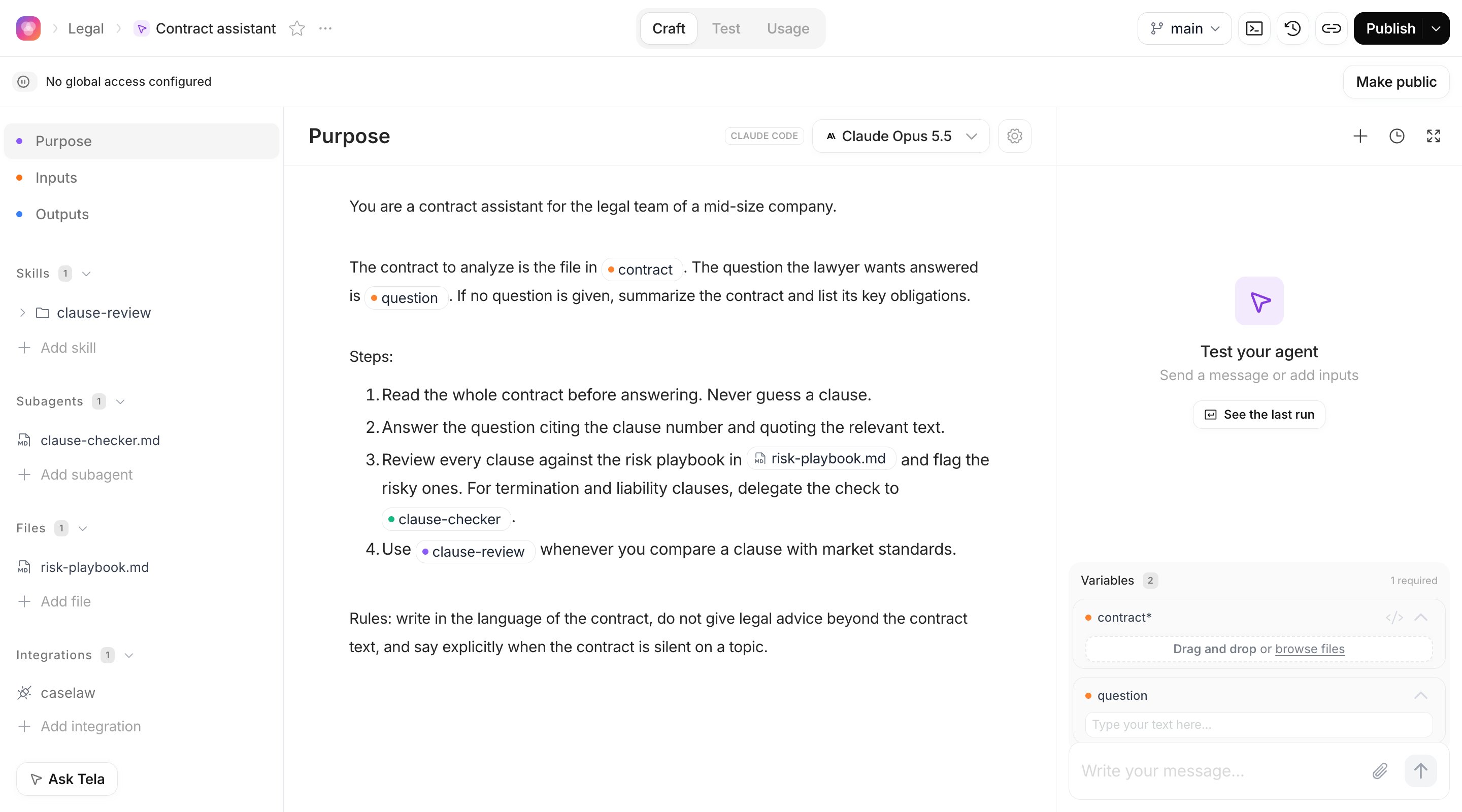
The pages in this section build the same Agent: a contract assistant for a legal team. It receives a contract file and a question, reads the contract, answers the question and flags clauses that look risky. Its outputs areanswer (a text) and risky_clauses (a list of texts). You will see it in every page so the pieces connect.
The two harnesses
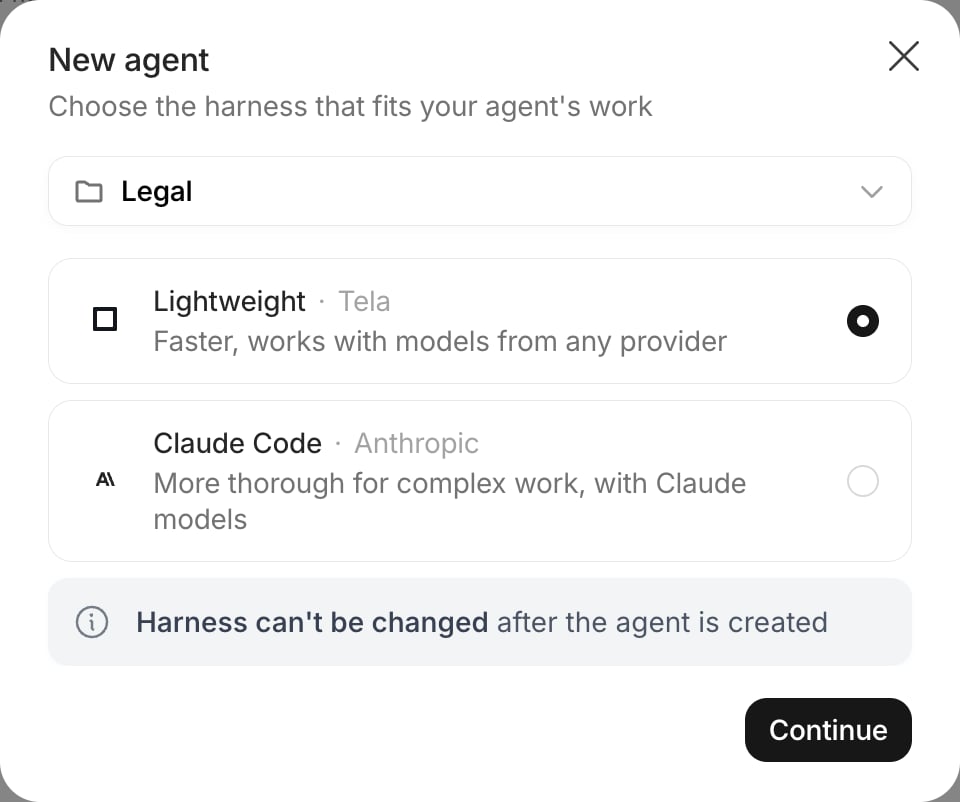
The harness is the engine that runs the Agent. You choose it in the New agent dialog, and it can’t be changed after the Agent is created.
A simple rule: start with Lightweight when the task is well scoped, latency matters or you want a model from a specific provider. Pick Claude Code when the Agent has to work through long, open-ended tasks with many files, skills and subagents.
Anatomy of the Agent page
Like a Canvas, the Agent page has Craft, Test and Usage experiences in the top center. These three stay in English in every language. Header. The breadcrumb shows the Workspace, the Project and the Agent title (click it to rename). The… menu next to the title has Connect via API (once published), Schedule, Make public, Agent Credentials (admins), the template actions (admins), Rename and Delete. On the right you find the branch selector (main by default), the Tela CLI button, Version History, Share link and the Publish button.
Left sidebar. The Craft experience is organized in sections:
- Purpose: the instructions the Agent follows, and the model it uses
- Inputs: the variables the Agent receives on each run, as text or files
- Outputs: the structured result you expect back, if any
- Skills: reusable instructions the Agent loads when a task needs them
- Subagents: helpers your Agent can delegate parts of the work to
- Files: reference documents the Agent can read while it works
- Integrations: external services the Agent can call without ever seeing their credentials
Lifecycle
1
Create it in a Project
From the Dashboard, click Agent. In the New agent dialog, choose the Project, choose the harness and click Continue. Then pick a template or click Start from scratch. Agents are always created inside a Project, so there is no Draft step.
2
Craft
Write the Purpose and pick the model, declare Inputs and Outputs, then add Skills, Subagents and Files and Integrations as the task requires.
3
Test
Run it in the Test your agent panel, then turn good runs into test cases in the Test experience. See Testing an Agent.
4
Publish
Click Publish. The published version is what the API, Workflows, schedules and tasks run; the test panel keeps running your latest changes. See Publishing and versions.
5
Run it where the work happens
Call it from your systems with Connect via API, add it as a step of a Workflow, schedule it or create tasks for it. See Running an Agent and getting results.
Agent creation is enabled per Workspace. If you don’t see the Agent option on your Dashboard, contact your Tela team.
How an Agent is stored
Every change you make to an Agent is saved as a new version, and the Version History lets you view or restore any of them. Your latest changes live on themain branch, which is the draft you test; the version you publish is what runs in production. You can also create other branches to try changes without touching main, and merge them later.
For developers. An Agent is a git repository. Each save is a commit, and the commit hash is the version ID (shown as
VER- followed by its first seven characters). main HEAD is the draft, the published commit is production. You can work on the repository locally with the Tela CLI; see Publishing and versions.In this section
Purpose and model
Write the instructions, mention inputs, skills, subagents and files, choose the model
Inputs and outputs
Declare what the Agent receives and the shape of what it returns
Skills, subagents and files
Give the Agent reusable know-how, helpers and reference documents
Integrations and credentials
Let the Agent call external services and other Tela resources safely
Testing
Try the Agent in a conversation, build test cases and read the run history
Publishing and versions
Versions, the main branch, publishing, restoring and sharing
Running and results
Use the Agent from a Workflow, the API and tasks, and read its results