

Split
Split takes a PDF or CSV and returns a list of files, one per piece.1
Choose the file
In File, type
@ and pick the file Input or the file output of a previous step (for example the result of a Crop). Split accepts one file or a list of files.2
Choose the type
PDF or CSV.
3
Choose the Split mode (PDF)
- Single Pages (deterministic): each page becomes its own file. You can set how many pages go into each piece; with 1, every page is a separate file.
- Smart Files (AI): the model detects logical sub-documents and groups pages into files, for example a bundle that contains a contract, its annexes and a cover letter.
4
Optionally add custom instructions (Smart Files)
Custom instructions tell the AI how to group pages (“Group pages by invoice number; keep cover letters with their contract”). Choose Always to apply them to every file, or Only when no summary to use them only as a fallback.
What Split returns
A list, one entry per piece:
The entries are files, not text. To read them you pass them to an AI Module (one at a time inside a Map, used as Parser or Multimodal) or to another document step.
Crop
Crop keeps only some pages of a PDF.1
Choose the file
Take this variable: type
@ and pick the file.2
Choose the pages
And crop it with this value: page numbers and ranges, counted from 1, like
1-2, 7, 10-18.file (the cropped PDF), originalFile and the indexes you asked for. Typical use: keep the first two pages of every contract before extraction, so the model only reads the cover and the summary of terms.
Map
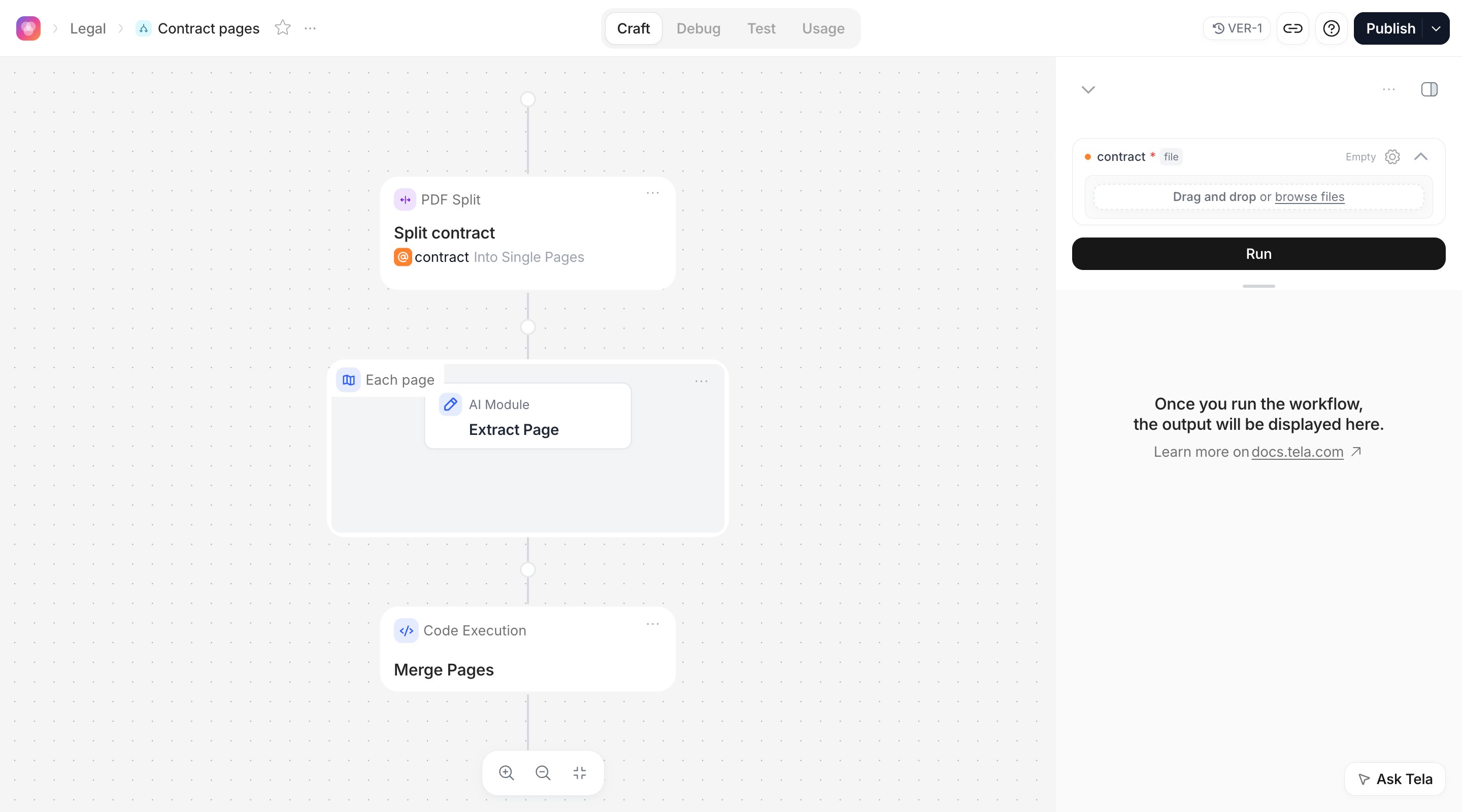
Map repeats the steps you place inside it for each item of a list, runs those iterations in parallel, and returns the list of results.1
Add the Map
Add Map after the step that produces the list (a Split, or an AI Module whose Output Format has a list attribute). Name it, for example
Each page.2
Choose what to iterate over
Over: type
@ and pick the list. For the running example, the output of Split contract.3
Name the Map Variable
Map Variable is the name of the current item inside the Map, for example
page. Steps inside the Map reference it as @page.4
Add steps inside the Map
Click inside the Map to add the steps that run for each item. In the example, Extract Page is an AI Module whose prompt reads
@page (used as Multimodal for a scanned contract) and returns page_number, clauses and amounts.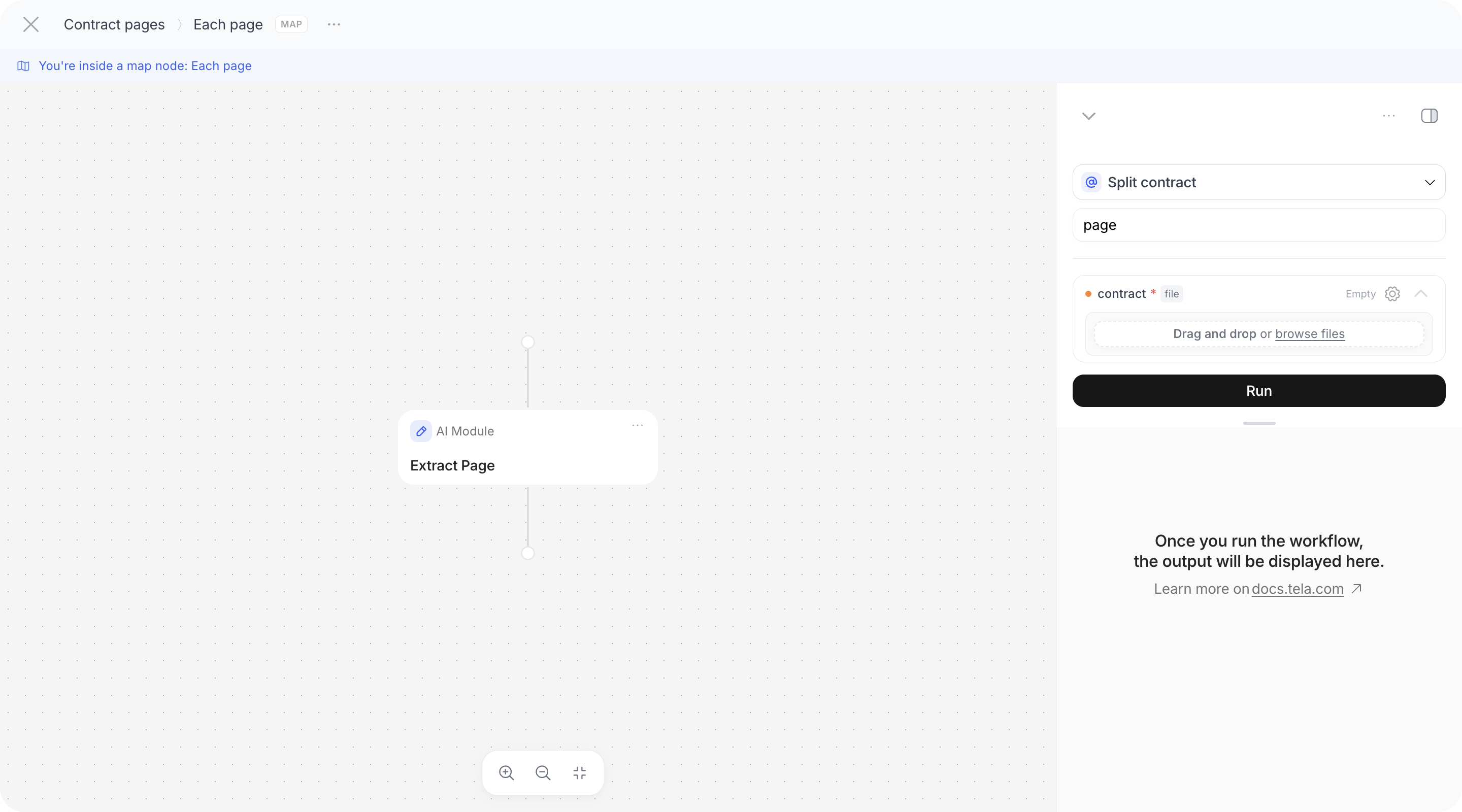
What Map returns
After the Map, the next steps see:- the Map step itself: a list with one entry per item, each entry holding the outputs of the inner steps keyed by step name;
- each inner step: a list of that step’s outputs, one per item, in the same order as the input list.
Each page, referencing Extract Page gives the list of page records. In Code Execution that is input["Extract Page"], an array you can merge:
Reading Map results
In the result pane, a Map shows the iteration count and lets you move between iterations (Iteration 3 of 60) to see each item’s outputs and errors. In Debug, each iteration is its own child run: open Iterations and Open iteration as run to inspect one page as if it were a standalone run. Through the API, inner steps carry oneruns entry per iteration; see Outputs and results.
Iterations run in parallel, so a Map over 60 pages finishes in about the time of one page, but it also makes 60 model calls at once. Mind your model quotas and cost when mapping over large documents.
Typical patterns
Per-page extraction of a long document
Per-page extraction of a long document
Split (Single Pages, 1 page) → Map over the Split output → inside: AI Module reading
@page → after the Map: Code Execution merging input["<inner step>"], or an AI Module that receives the whole list (used as Parser) and consolidates it.One bundle, several documents
One bundle, several documents
Split in Smart Files mode with instructions like “Separate the main contract from each annex” → Map over the pieces → inside: Classifier or AI Module per piece. Use
description and fileType of each piece to decide what to do with it.Batches: several files in one Input
Batches: several files in one Input
A file Input can receive several files. Pass it to Map directly (Over = the Input) to run the same steps for each uploaded contract, or to Split first to get pages of all of them.
Only the pages that matter
Only the pages that matter
Crop pages
1-2 → AI Module on the cropped file. Cheaper and more accurate than sending the whole document when the information is always in the same place.Iterate over extracted items, not pages
Iterate over extracted items, not pages
An AI Module returns a list attribute (
line_items) → Map over Extract Data › line_items → inside: an Existing Canvas that validates one item. Lists from Output Formats are valid Map inputs, not only files.